See the solicitation requirements before you open the PDF
Bidscope's AI reads the attachments from first page to last and pulls out the details buyers bury in them: the budget, the bonds, the set-aside, the pre-bid meeting, the forms you'll have to chase. You get 40+ fields on one screen and can filter on any of them.
Make the go/no-go call from one page
Bidscope reads each solicitation before it reaches you. It runs a separate AI extraction for each of 40+ fields, from budget range and contract type to place of performance and submission method, and puts them on one page. You decide from that page, before anyone downloads the packet.
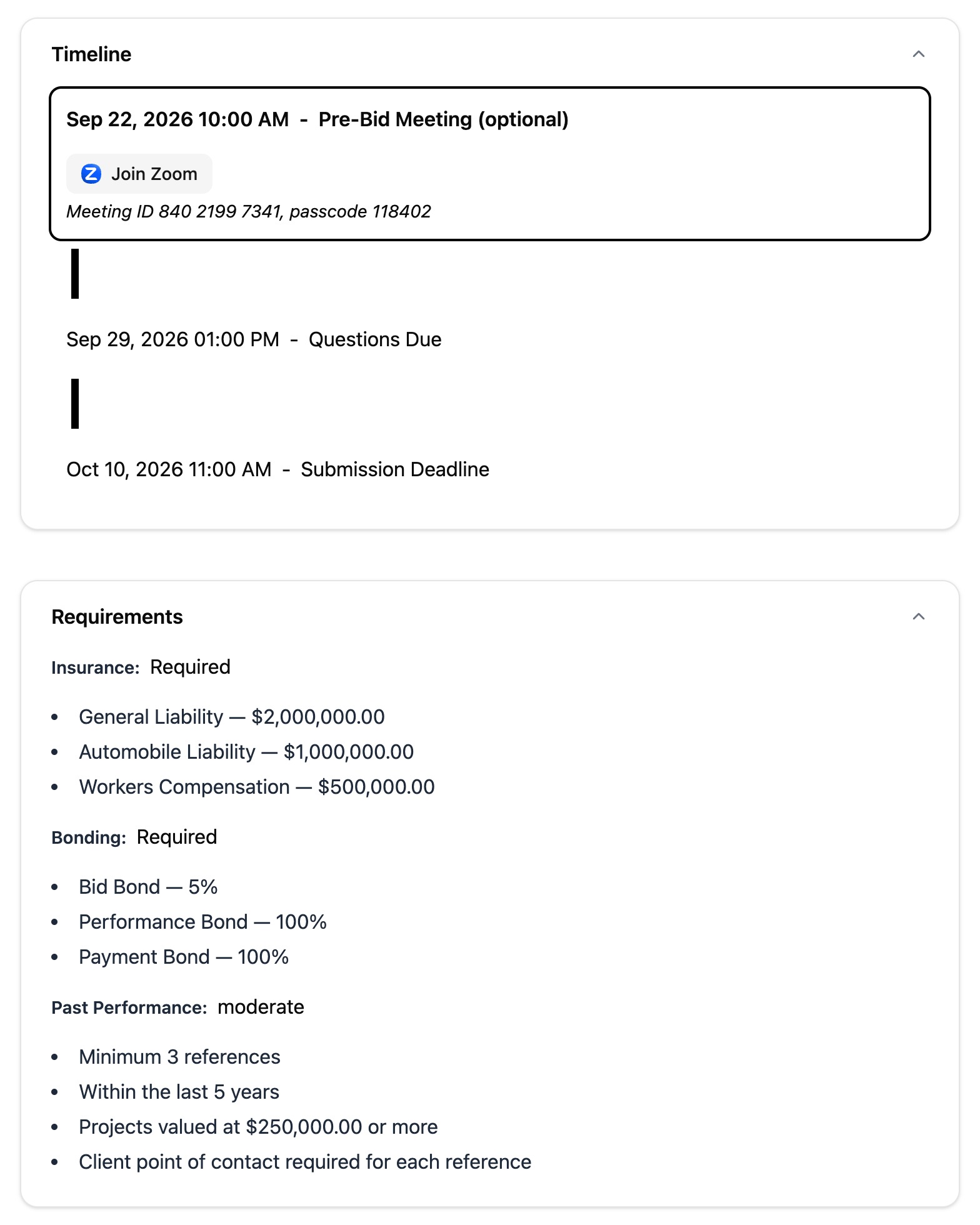
- Bonds itemized by type (bid, payment, performance), each with the percentage or dollar amount the buyer requires
- Insurance coverages with their minimum limits, and set-asides with the certifying agency and any percentage requirement
- The AI records what the document states and leaves a field empty if the document is silent
Filter out the bids you can't qualify for
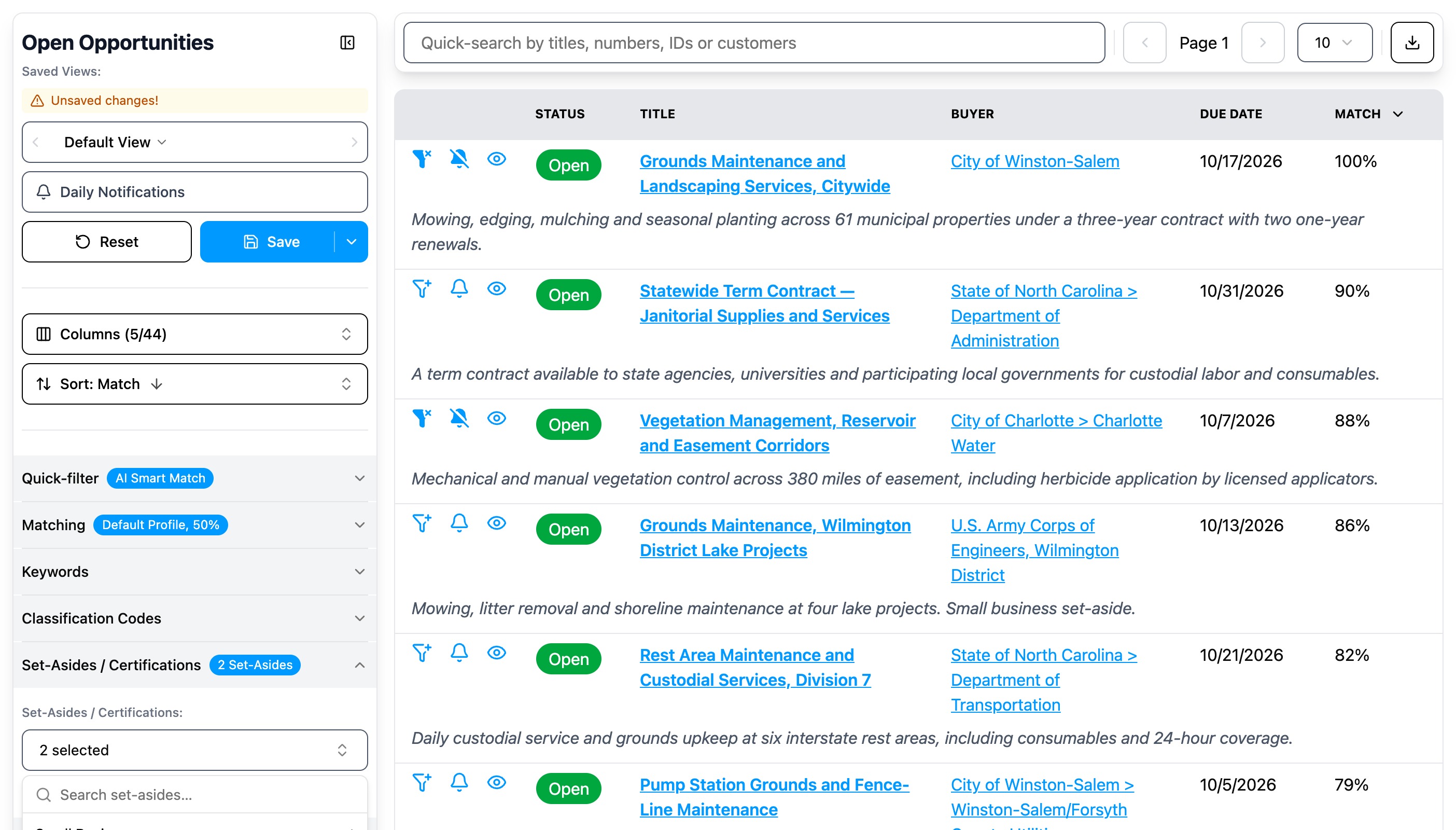
Buyers put the disqualifiers deep in the attachments: a bond you can't post, past performance you don't have yet. Bidscope extracts each one as a field you can filter on. Cap the insurance limit or exclude work you'd have to be on site for, and Bidscope stops sending you those opportunities.
- Requirements: maximum insurance limit, past-performance strictness, education level, whether a middleman is allowed
- Specifications: supply or service, off-the-shelf or custom, National Stock Numbers, CAGE codes
- Set-asides as structured values, so you can filter out the ones you aren't eligible for
Deadlines and pre-bid meetings, at a glance
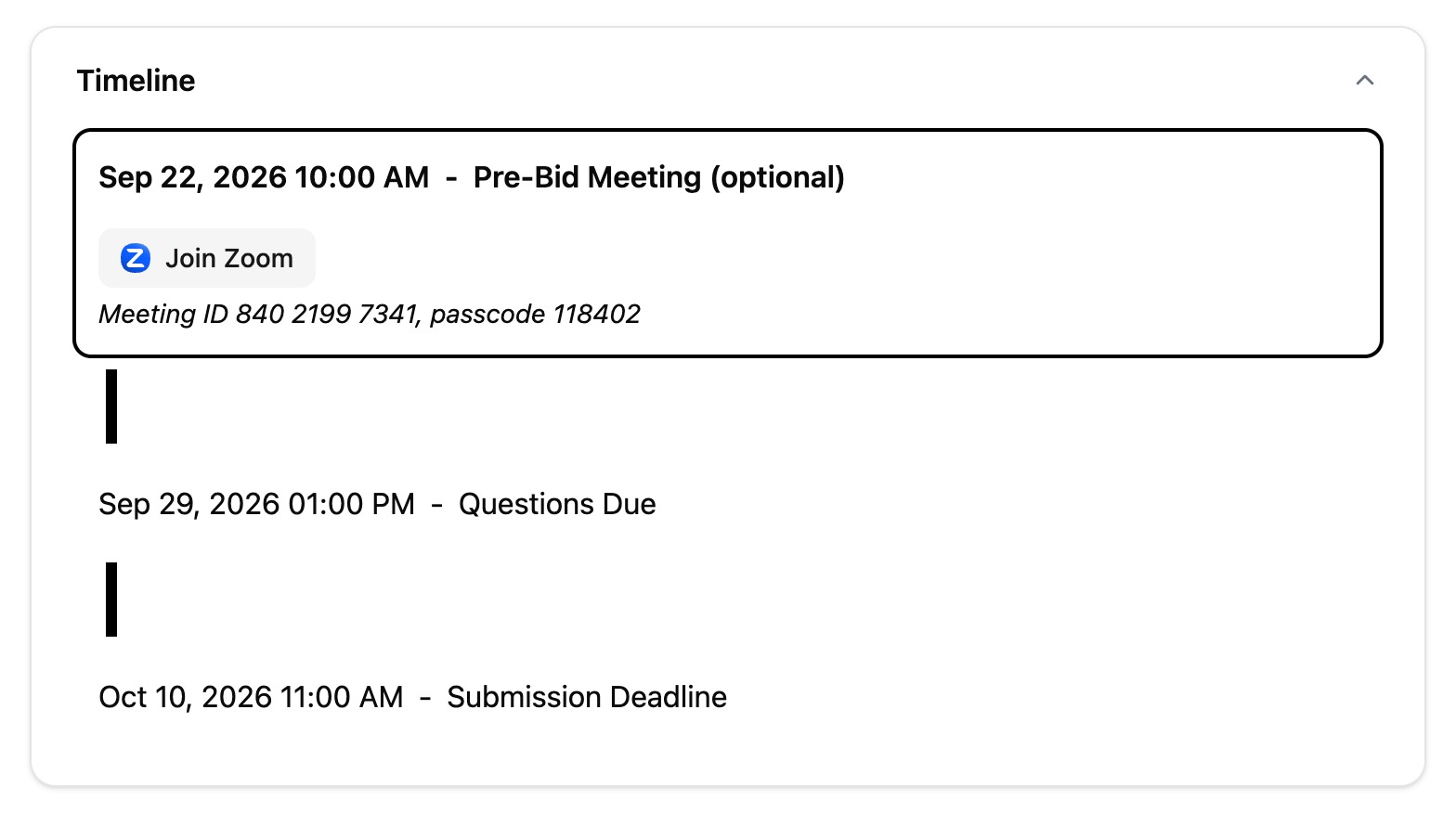
Bidscope converts each stated deadline into an exact timestamp in the time zone of the place of performance. A 2:00 p.m. cutoff in Boston closes hours before a 2:00 p.m. cutoff in Phoenix, and Bidscope sorts them in that order. Sort your list by due date and the bid that closes first sits at the top.
- Milestones laid out as a timeline, including any pre-bid meeting
- Pre-bid meetings marked required or optional, with the street address or the virtual link
See who the incumbent is on a recompete
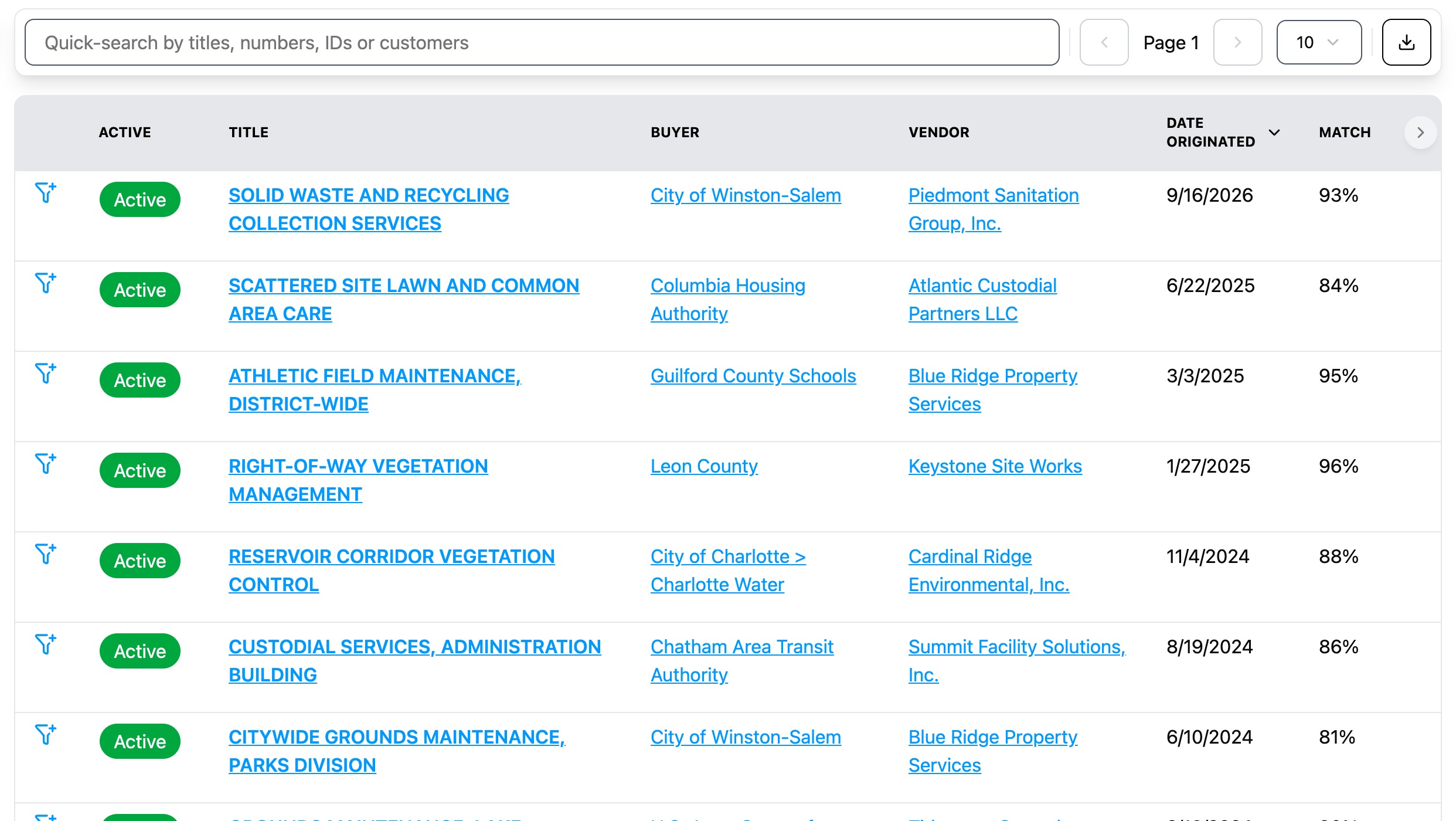
If a solicitation is a recompete, Bidscope pulls the predecessor contract number and the incumbent out of the document, then links them to the real award and vendor records. You can open the incumbent's award record before you price your bid. Open the link from either side: Incumbents and Recompeted Contracts on the solicitation, Recompete Solicitations on the award it replaces.
“I discovered Bidscope last year, and it has significantly streamlined our RFP/RFQ search process through flexible, criteria-based filtering that quickly identifies relevant opportunities.”

Stop missing perfect-fit contracts
Join contractors who are discovering opportunities they never would have found otherwise. Get started in minutes.
Starter
- Federal + SLED solicitations
- Federal + SLED contracts
- Federal + SLED vendors, vendor activity, and vendor award history
- Federal + SLED buyers, buyer contacts, and agency award history
- 50,000+ sources daily
- AI-powered matching
- Daily email alerts
- Pipeline tracking
- 1 proposal writing session/month, then $30 each
- Chat support
Submitting a proposal by mail may add printing and postage fees.
Professional
- Everything in Starter
- 15 proposal writing sessions/month, then $30 each
- Access upcoming federal/SLED recompetes
- Federal/SLED procurement forecasts
- AI Federal/SLED agency budget alerts
- AI Federal/SLED meeting notes alerts
- Export contracts, vendors, vendor activity, buyers, and buyer contacts
- GSA eBuy integration
- API + MCP
- SSO
- 10 seats
- Personal onboarding
- Dedicated support
Submitting a proposal by mail may add printing and postage fees.
Business
- Everything in Professional
- Private opportunities
- CRM integration
- Unlimited seats
Want to see it in action first? Book a 15-minute demo