AI proposal writing that asks you what it doesn't know
Bidscope drafts the narratives the solicitation requires and fills the buyer's own forms in native Word, Excel and PDF. If the AI lacks a fact, such as a certification number or a reference, it posts a plain-English question for you to answer.
An AI proposal writer that fills out government forms
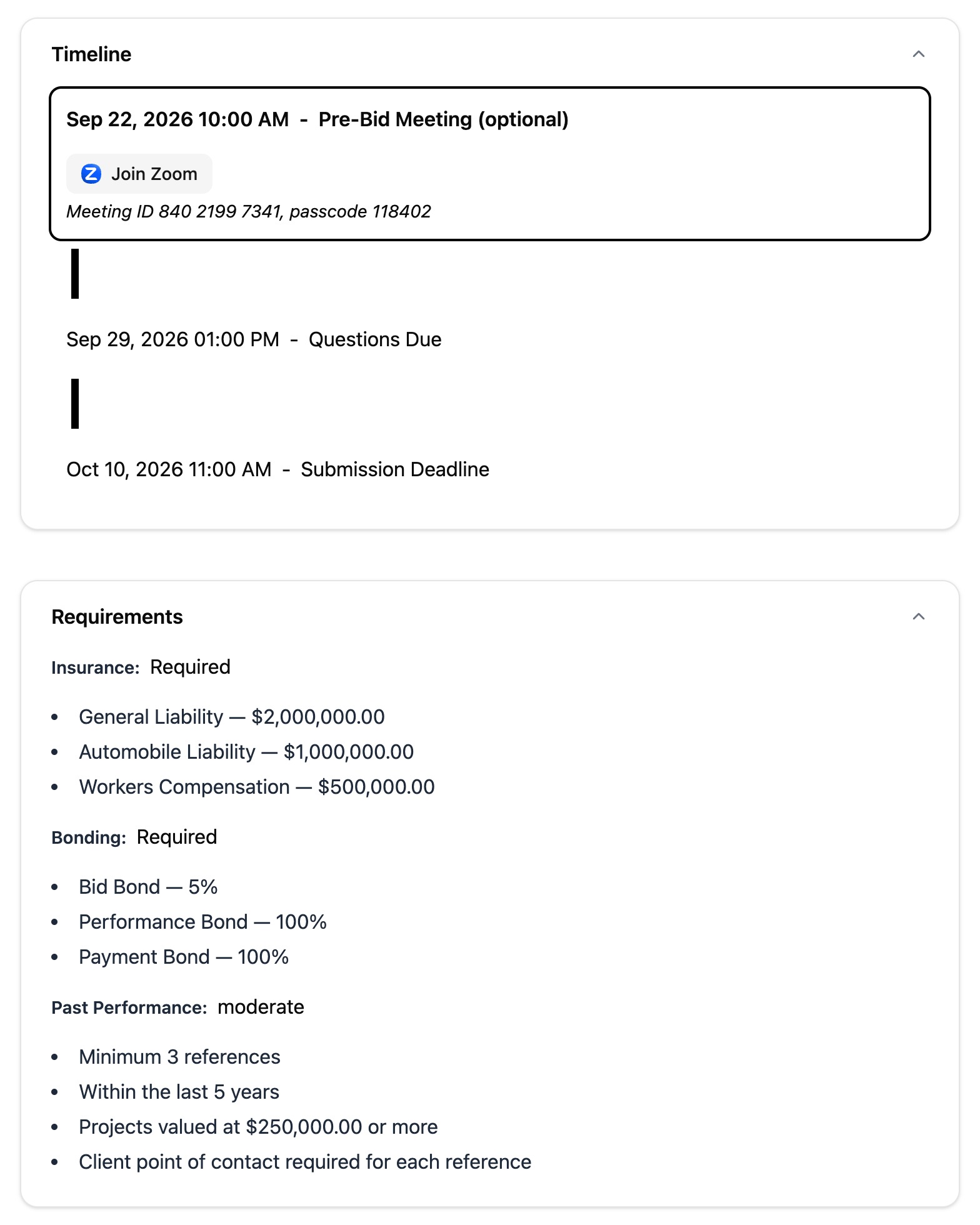
Bidscope's proposal copilot reads each attachment in the solicitation, finds the buyer's own forms and fills them out in their native Word, Excel or PDF format. It builds one ordered list of what has to go in the package: the narratives to write, the forms to fill and the attachments you have to go and get. You see the form that needs a notary the day you start, with time to book one.
- Each item on the list carries its page limit, its format rules and any condition the buyer attached
- It flags notarization, third-party signatures and original wet signatures up front
- You get standard federal forms like the W-9, SF-330 and SF-1442 from Bidscope's shared library
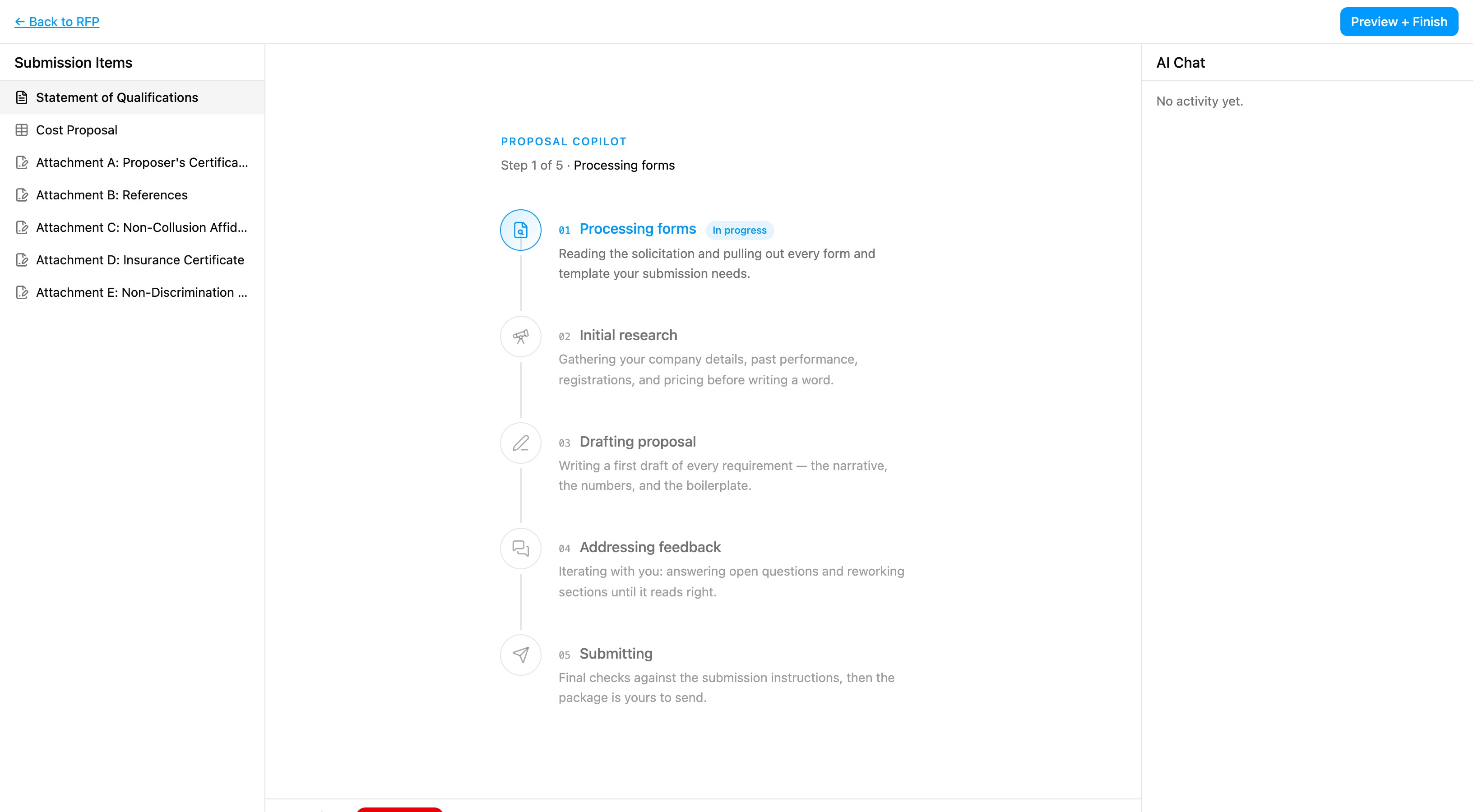
Watch the AI work through your draft, phase by phase
The copilot works through five named phases: Processing forms, Initial research, Drafting proposal, Addressing feedback and Submitting. Behind them it hands each requirement to its own background agent, under a label saying what that agent is writing. You can tell which phase the package is in and which sections are under way.
- During Processing forms, the AI scans each PDF page by page to locate the buyer's forms
- The background agents run in parallel, one per requirement
- In the last phase, the copilot checks the package against the solicitation's submission instructions
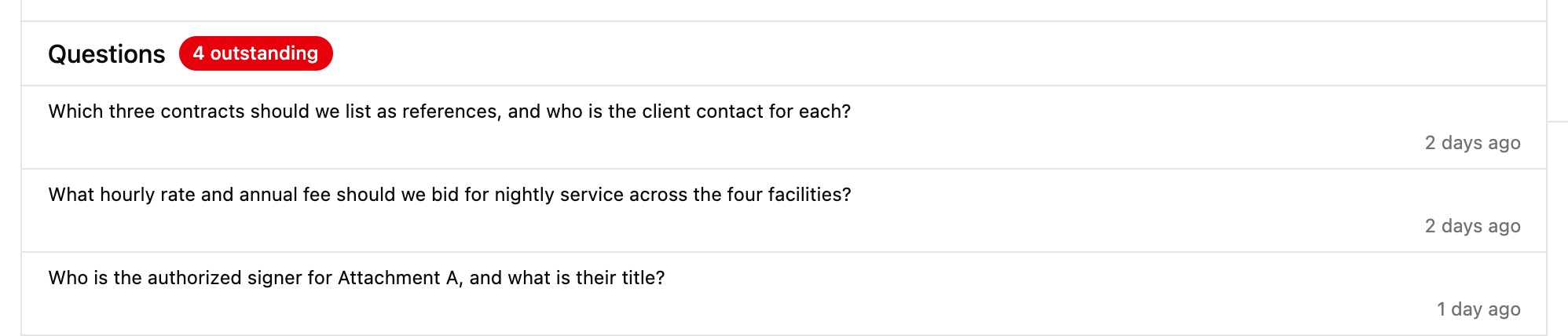
If the AI lacks a fact, it asks you
A buyer can throw out your bid over one invented certification number or made-up reference. Faced with a decision it can't make or a fact it doesn't hold, the copilot posts a plain-English question to the Q&A board and leaves the answer to you.
- The agent puts its best guess in the box with each question, and you accept it or replace it
- The copilot researches first and opens questions once drafting begins
A draft that sounds like your company
The copilot builds the draft from your company's own material. Connect Google Drive and it can search and read your files, then attach the right one to the package. It holds the text of your capability statements and the names of your authorized signers, so it fills each signature block with the name of a person who can sign.
- Reads and writes native Word and Excel, and fills PDF form fields
- You switch Google Drive research on or off with a toggle
- The copilot can search the web while it drafts
“Its matching algorithms have greatly reduced our search time, allowing us to submit more bids, strengthen the quality of our proposals, and focus on opportunities that better align with our strengths.”

Stop missing perfect-fit contracts
Join contractors who are discovering opportunities they never would have found otherwise. Get started in minutes.
Starter
- Federal + SLED solicitations
- Federal + SLED contracts
- Federal + SLED vendors, vendor activity, and vendor award history
- Federal + SLED buyers, buyer contacts, and agency award history
- 50,000+ sources daily
- AI-powered matching
- Daily email alerts
- Pipeline tracking
- 1 proposal writing session/month, then $30 each
- Chat support
Submitting a proposal by mail may add printing and postage fees.
Professional
- Everything in Starter
- 15 proposal writing sessions/month, then $30 each
- Access upcoming federal/SLED recompetes
- Federal/SLED procurement forecasts
- AI Federal/SLED agency budget alerts
- AI Federal/SLED meeting notes alerts
- Export contracts, vendors, vendor activity, buyers, and buyer contacts
- GSA eBuy integration
- API + MCP
- SSO
- 10 seats
- Personal onboarding
- Dedicated support
Submitting a proposal by mail may add printing and postage fees.
Business
- Everything in Professional
- Private opportunities
- CRM integration
- Unlimited seats
Want to see it in action first? Book a 15-minute demo